
意匠データ入力操作
【基本(I)メニュー】 > 〔線分入力〕 > 外部階段手摺
◆ 「外部階段手摺」では、2種類の外部階段手摺を入力することができます。
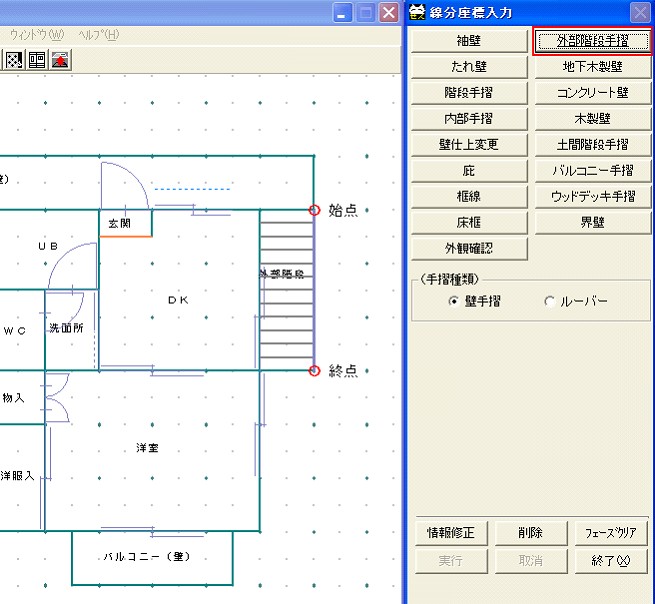

線分入力メニューから、『外部階段手摺』を選択しますと下記の画面が表示されます。
[外部階段手摺]をクリックし始終点入力により入力を行います。
外部階段手摺の入力は2~3階で行います。
始点終点は意味を持ちませんから、上り方向に入力しても下り方向に入力しても支障ありません。
入力手順は下記の通りです。

線分入力メニューから、『外部階段手摺』を選択しますと下記の画面が表示されます。
[外部階段手摺]をクリックし始終点入力により入力を行います。
外部階段手摺の入力は2~3階で行います。
始点終点は意味を持ちませんから、上り方向に入力しても下り方向に入力しても支障ありません。
入力手順は下記の通りです。